
Microsoft Copilot training for organisations
Get more out of Microsoft Copilot
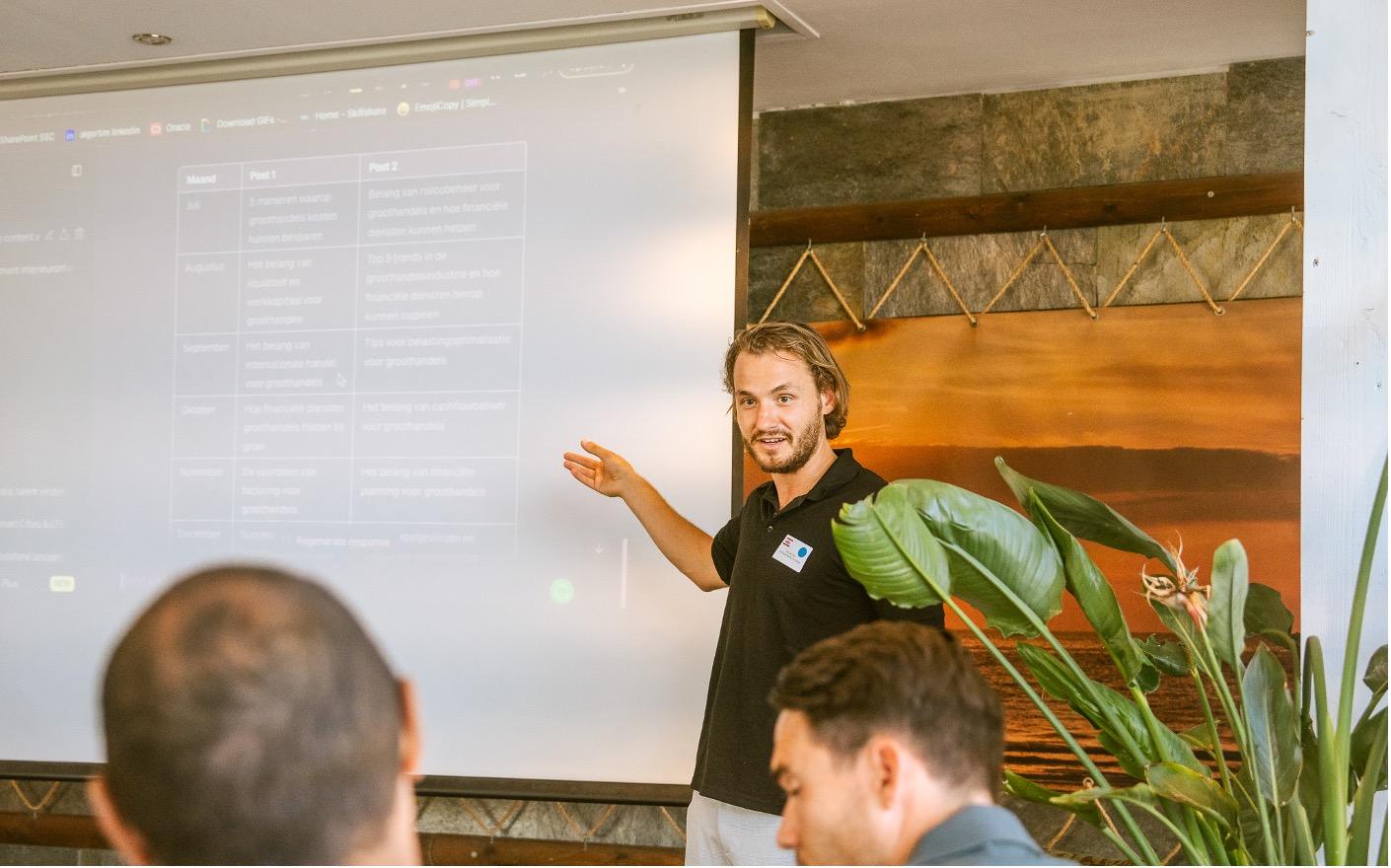
You have Copilot available, but is it actually being used? In our practical Copilot training, employees learn to work smarter with the tools and information they already use every day.
From better prompts and faster preparation to creating documents and automating recurring tasks: we make Copilot work for your organisation.
- Practical and interactive
- Tailored to your work
- For different teams and levels
- In-company, off-site or online
- Tailored to your team
- Investment on request
You have Copilot. But are you getting the most out of it?
More and more organisations are investing in Microsoft Copilot. Yet we see that access to the technology doesn't mean employees know how to use it in their daily work.
Do any of these situations sound familiar?
Employees have access to Copilot, but use it rarely or not at all.
Several colleagues are trying out AI, but everyone does it their own way.
Prompts produce mixed results and it's unclear how to get better answers.
The team knows more is possible, but doesn't yet see where to start.
A lot of hours go into emails, meetings, documents and recurring tasks.
There are questions about confidential information, access rights and responsible use of AI.
The organisation invests in licences, but doesn't yet see enough return in practice.
Our Copilot training helps employees spot opportunities and get started right away.
From trying out Copilot to working smarter
After the training, employees have a clearer picture of what Copilot can do for them and how to use it in a focused way.
A firmer grip on Copilot
Employees understand the possibilities and know where to start.
Better prompts and answers
They learn to give clear instructions, add context and improve results.
More efficient work
They discover where Copilot can help, for example with emails, documents, analyses and meetings.
Concrete applications for their own work
Participants practise with familiar tasks and questions from their daily work.
More confidence in responsible use
Employees learn to assess results critically and handle information with care.
A foundation for lasting use
The team gains insight into opportunities to apply Copilot further and organise work more smartly.
What can you do with Copilot in practice?
Outlook
Summarise long email threads, bring out key action points and draft a first reply.
Teams
Prepare a meeting, summarise it afterwards and map out agreements and next steps.
Word
Draft a first version of a document, summarise lengthy texts or improve an existing one.
PowerPoint
Use existing information as the basis for a presentation and turn ideas into a first draft faster.
Excel
Ask questions about data, discover patterns and get support with analyses, formulas and visualisations.
Copilot Chat and agents
Ask questions, research topics and discover how AI assistants can support specific tasks.
Automation
Explore which recurring tasks you can simplify or automate, for example with Copilot and Power Automate.
Which features are available depends on your licences, settings and access rights. That's why we tailor the training to your Microsoft environment.
What the Copilot training looks like
Four parts that together lead to working with Copilot in practice. We tailor the content and depth to your team.
Step 1
The basics: what can Copilot do for you?
We start with the possibilities and limitations of generative AI and Microsoft Copilot. Participants discover where to find Copilot, how it works and which applications are relevant to their role.
Step 2
Communicating effectively with Copilot
Good results start with a clear instruction. Participants learn how to build a prompt, provide context and sources, ask follow-up questions and improve results. We also cover checking answers and handling information responsibly.
Step 3
Hands-on with your own work
We get to work with Copilot in the Microsoft applications the team uses. Think emails, meetings, documents, presentations and analyses. Where possible, participants practise with their own tasks and questions.
Step 4
From insight to everyday use
Together we look at where the biggest opportunities lie for the team. We discuss how employees can keep using Copilot after the training and which next steps are worth exploring, such as sharing prompts, using agents or looking into automation.
Who is this Copilot training for?
Broader than sales
The training suits organisations that have Microsoft Copilot available, or want to get started with it, and want to help their employees get more out of it.
We tailor the content to the team's work and level of knowledge. The training is suitable for, among others:
- Management and executive teams
- Sales and account management
- Marketing and communications
- Customer service and client teams
- HR and recruitment
- Project management
- Support and administrative departments
Whether employees are just getting started or already use Copilot: we provide recognisable examples and room to practise.

Continuing with Copilot after the training
A training is a great first step. The real value comes when employees keep using Copilot afterwards and discover where it makes a difference for them.
That's why, alongside a practical training, we can also offer support with:
Follow-up sessions for teams or specific roles
Identifying and developing applications in existing work
Improving and sharing prompts and ways of working
Exploring agents and opportunities for automation
Guidance on the further adoption of Copilot within the organisation
Together we decide which approach fits your goals and the stage your organisation is in.
Practical, personal and focused on results
Why Ai · saleslabs?
At Ai · saleslabs, we believe technology only adds value when people know how to apply it in their own work.
That's why we combine our experience in AI, training and organisational development with a practical approach. We connect with employees' day-to-day reality and look together at where AI can free up time, improve quality and support people.
Not a standard story that's the same for everyone, but a training that fits your organisation, teams and goals.
Trusted by













Practical information
Format
Practical training, workshop or tailored support programme.
Preparation
Beforehand, we discuss the goals, level of knowledge and work of the participants.
Duration
By arrangement, depending on your wishes and the content.
Location
At your office, at an external venue or online.
Investment
On request.
Frequently asked questions
Do employees need experience with AI or Copilot?
No. We tailor the training to the participants' level of knowledge. Employees with little or no experience can take part too.
Is the training only suitable for sales?
No. The training suits a range of roles and departments. We adapt the examples and exercises to the participants' work.
Do we already need Copilot licences?
Not to discuss the possibilities. If participants want to work in their own Microsoft environment during the training, we check together beforehand which access and licences are needed.
What if employees have different licences?
Then we discuss beforehand which features are available and how we can tailor the training accordingly.
Do we also learn about agents and automation?
Yes, if it fits the team's goals and level. We show what's possible and discuss which applications may be relevant. The available features depend on your setup and licences.
Is there attention to privacy and safe use?
Yes. Among other things, we cover handling confidential information, the importance of access rights and checking AI output. We take your organisation's guidelines into account.
Can we get support after the training?
Yes. We can support you with follow-up sessions and guidance to develop applications further and give Copilot a permanent place in everyday work.
Ready to get more out of Microsoft Copilot?
Curious how your organisation can make better use of Copilot? We're happy to think along with you about a practical approach that fits your people, work and goals.